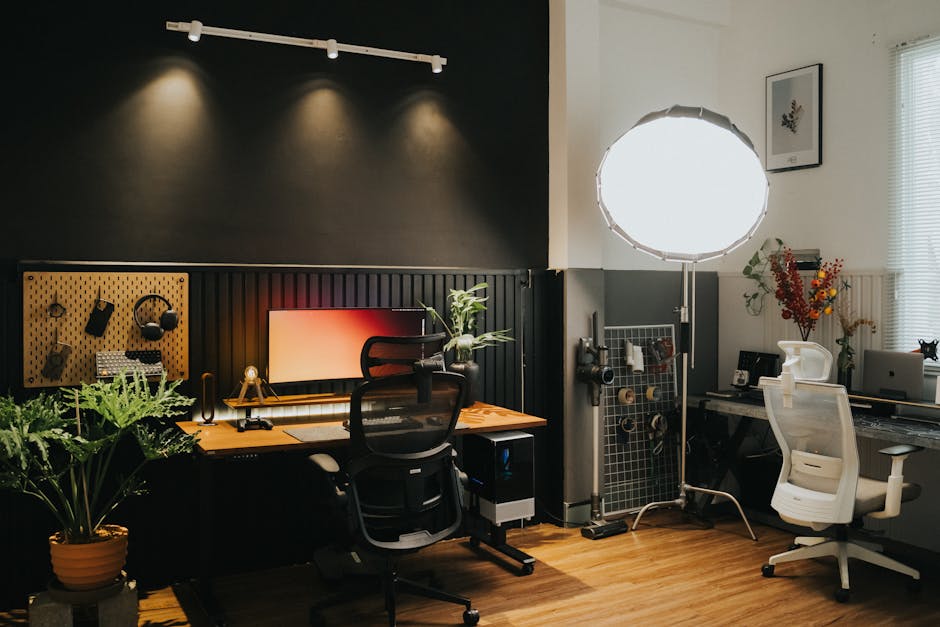
The home office has gone from a luxury to a professional necessity for a significant proportion of the working population. With that shift has come a new design challenge that most productivity and interior design advice addresses poorly: how do you create a workspace that is genuinely functional for serious work, communicates professionalism in the video calls that are now a primary work surface, and remains a comfortable part of your home rather than a sterile corporate intrusion?
These goals are not in tension. But they do require intentional design rather than the default arrangement of whatever furniture was available pointed at whatever wall offered the least awkward background.
1. The Professional Signal Problem With Home Offices
Video calls have made home office backgrounds a semi-public professional statement in ways that working from home previously did not require. What appears behind you on a call communicates something about your professionalism, your organization, and your seriousness that was previously a private matter.
A chaotic background communicates disorganization. A bare wall communicates lack of investment. An overly domestic background, particularly one that makes it obvious you are working from a bedroom or kitchen, communicates that working from home is a temporary or secondary arrangement rather than a serious professional setup.
None of these signals are entirely fair. They are not accurate proxies for the quality of someone’s work. But they are real perceptions that affect how people are received in professional contexts, and acknowledging that reality allows you to address it rather than dismiss it.
The good news is that a professional-appearing home office background does not require extensive investment or a dedicated room. It requires deliberate thought about a relatively small area of wall space and the elements visible within a camera’s typical field of view.
2. Location: The Decision That Shapes Everything Else
The location of a home office within the home determines acoustic quality, lighting conditions, visual separation from domestic activity, and psychological separation between work and personal time. It deserves more deliberate thought than most home offices receive.
Acoustic separation is often the most important practical consideration. A home office adjacent to a kitchen, a living room with a television, or a child’s playroom creates background noise that is both distracting for the person working and audible on calls in ways that undermine professional credibility. When a dedicated quiet room is not available, acoustic separation can be improved through door weatherstripping, acoustic panels on shared walls, and a quality microphone that captures voice clearly while rejecting background noise.
Natural light is the second critical location factor. A space with good natural light from a window positioned to the side or in front of the work area, rather than directly behind, provides both the health benefits of daylight exposure and better video call appearance. Direct backlight from a window behind you creates a silhouette effect that makes you appear dark on camera regardless of ambient light levels.
Psychological separation is less tangible but genuinely important for work quality and recovery. A workspace that is clearly distinct from living space, and that can be physically closed off at the end of the day, supports the mental transition between work and rest that shared-purpose spaces make difficult.
3. The Ergonomic Foundation That Prevents Long-Term Problems
Ergonomics in a home office is not a luxury consideration for people with existing physical issues. It is a preventive investment that pays returns over years and decades in avoided pain, injury, and the cognitive costs of working while uncomfortable.
The desk and chair height relationship is the primary ergonomic variable. The goal is a configuration where the elbows are at approximately desk height when the upper arms are relaxed and the forearms are parallel to the floor. This position minimizes the muscle tension in the shoulders and neck that produces the chronic pain that many people associate with office work generally rather than with their specific workstation configuration.
Monitor height and distance are the second primary variable. The top of the monitor should be at approximately eye level, allowing a slight downward gaze to the center of the screen without neck flexion. The monitor should be far enough away that text is readable without leaning forward, typically an arm’s length or slightly more for most people with standard vision correction.
A quality chair that supports the lumbar curve of the lower back is among the highest-return investments in a home office. The chronic lower back pain that many remote workers experience is substantially a product of chairs that do not support the natural spinal curve, forcing the surrounding muscles to compensate continuously. This is a painful and expensive problem to develop and an inexpensive and easy one to prevent.
4. The Background: Designing What the Camera Sees
The video call background is a designed communication surface that most home office occupants have never consciously designed. Treating it as such produces significantly better professional impressions with minimal investment.
The elements that produce professional backgrounds are consistent across most successful home office setups. A neutral wall color or subtle textured wall treatment that does not compete with or distract from the person in front of it. Deliberate objects within the camera frame that communicate something positive about the person: books, relevant equipment, tasteful decor, or art that suggests a personality without overwhelming the frame. Good lighting that illuminates the face clearly without harsh shadows or blown-out highlights.
The lighting for video calls is almost always improved by adding a dedicated source in front of the face rather than relying on ambient room light alone. A simple ring light or a quality LED panel positioned in front of and slightly above eye level produces the catchlights in the eyes and even facial illumination that make video presence significantly more professional and engaging.
Bookshelves are the most reliably professional background element available to most people because they communicate intellectual engagement, organization, and seriousness simultaneously. A well-arranged shelf with books, a few objects, and some negative space reads as thoughtfully composed without appearing staged.
5. Technology Infrastructure That Eliminates Friction
A home office that looks professional but is functionally inadequate because of technology infrastructure creates a daily friction that degrades both work quality and professional impression. Technology infrastructure deserves the same deliberate attention as the physical environment.
Internet connectivity is the foundation. A hardwired ethernet connection, rather than Wi-Fi, eliminates the packet loss and latency variation that causes audio and video call quality degradation. For remote workers whose work is primarily conducted through video calls, the investment in a long ethernet cable or a powerline ethernet adapter is among the highest-return technology improvements available.
Audio quality on calls is often more important than video quality for professional impression. Poor audio, including background noise, echo from a room with hard parallel surfaces, or a microphone that captures breath noise and plosives, is more disruptive to comprehension and professional impression than imperfect video. A quality USB microphone or headset resolves most home office audio problems for a modest investment.
Cable management, while seemingly minor, has a disproportionate effect on both the visual quality of the office space and the psychological experience of working in it. A desk with cables draping visibly to the floor and tangling behind equipment creates visual clutter that contributes to the sense of disorder. Simple cable management solutions, trays, clips, and vertical raceways, resolve this quickly and inexpensively.
6. Storage and Organization as Performance Factors
The relationship between physical organization and cognitive performance is well-established in productivity research. A workspace where items are easily located, where the desk surface is clear of non-essential objects, and where paper and reference materials have a logical home rather than accumulating in visual piles supports focused work in measurable ways.
Home offices frequently become secondary storage spaces for items that do not have a better home elsewhere in the house. This gradual accumulation degrades both the function and the appearance of the workspace. Preventing it requires a clear policy about what belongs in the office and regular maintenance to remove items that have migrated in from other spaces.
The most effective home office storage systems are those that keep frequently used items within arm’s reach and rarely used items out of sight. A single well-organized desk drawer, a filing system for active documents, and a cabinet for equipment and supplies that are used regularly but not constantly eliminates most of the search time and visual clutter that degrades working efficiency.
7. Creating the Psychological Boundary Between Work and Home
The most underappreciated design element of a successful home office is the one that has nothing to do with aesthetics or function: the systems that create psychological separation between work time and personal time in a space where both occur.
Physical signals matter for this boundary. A door that closes at the end of the workday. A lighting configuration that changes when work ends. A brief transition ritual that marks the shift from work to personal time. These signals help the brain disengage from work mode rather than remaining in a state of partial alertness that degrades both work quality during work hours and recovery quality outside them.
Visual separation of work tools from personal items within the workspace also contributes. A dedicated work surface that is cleared of personal items during work hours and from which work items are cleared or concealed at the end of the day creates a physical manifestation of the boundary between modes.
Conclusion
A home office that works, that supports serious professional performance while remaining a comfortable and organized part of your home, is the product of deliberate design decisions rather than furniture arrangements made under time pressure. The investment is modest relative to the daily return. You spend more time in your home office than in almost any other single space. Designing it with the same intentionality you would bring to any other important professional environment produces returns in focus, professional impression, and daily comfort that accumulate with every hour you spend in it.
Last modified: April 30, 2026